
The “Emulators” tab explained
Presentation of the interface
Section titled “Presentation of the interface”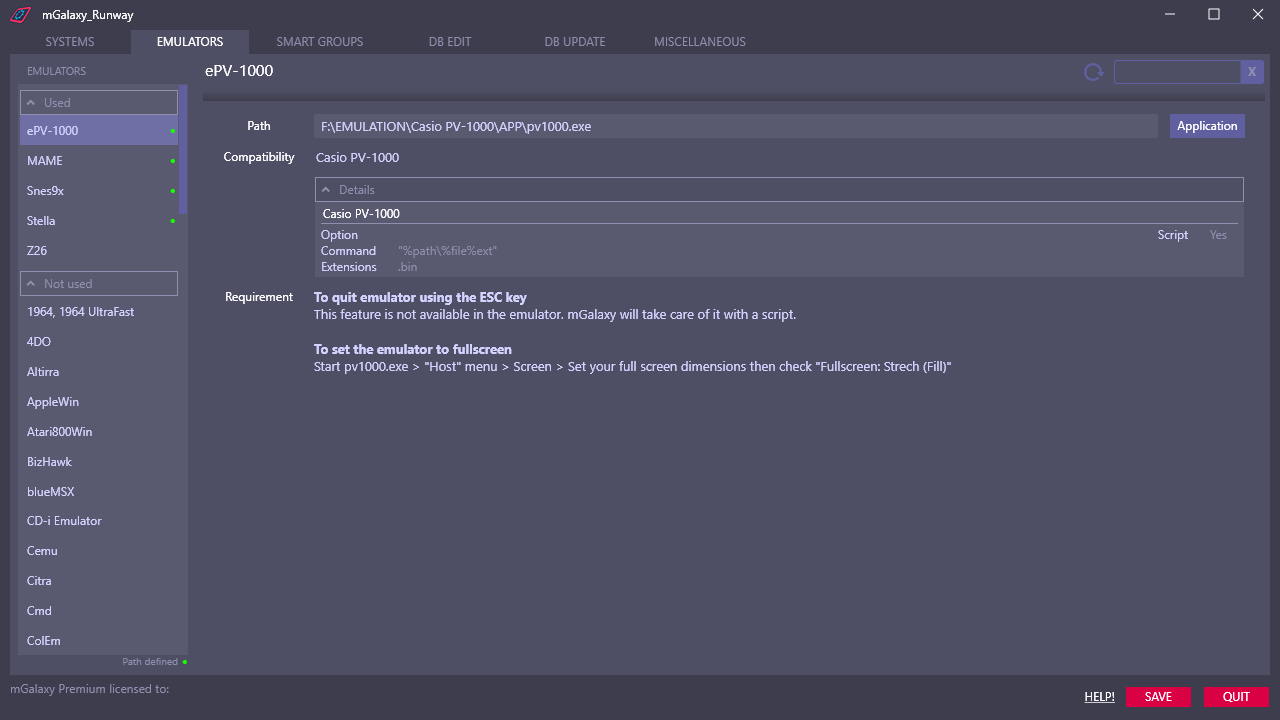 1234567
- Details for each system that the emulator can emulate.
(options, command line, allowed extensions, use of a script) - Indication of the definition or not of the path to the emulator.
- Filtering of the list of emulators by keyword.
The keyword acts on the name of the emulator as well as on the name of the compatible systems. - Refresh 'used' and 'path set' information in the emulator list.
- Emulators already in use are grouped at the top of the list.
- List of systems that the emulator can emulate.
- Actions that may be necessary to allow a good integration with mGalaxy.